 Cold Water Therapy
Time your plunge
Choose your activity and use the timer to track your time in cold water.

THE COLD PLUNGE TRACKER
Time your cold plunges, log every session and see how your routine evolves. Cold Water Therapy is your cold-water journal for iPhone and Android.
A CLOSER LOOK


BUILT FOR YOUR ROUTINE
From an ice bath to a cold shower or a lake dip, keep your sessions in one place.
 Apple Watch
Session timer & heart rate

Workouts & heart rate access
 Wear OS
Track on your Android watch
 Health Connect
Exercise export & heart rate access
Health connections are optional and use the permissions you grant. Watch support depends on your device and software.
Choose your activity and use the timer to track your time in cold water.
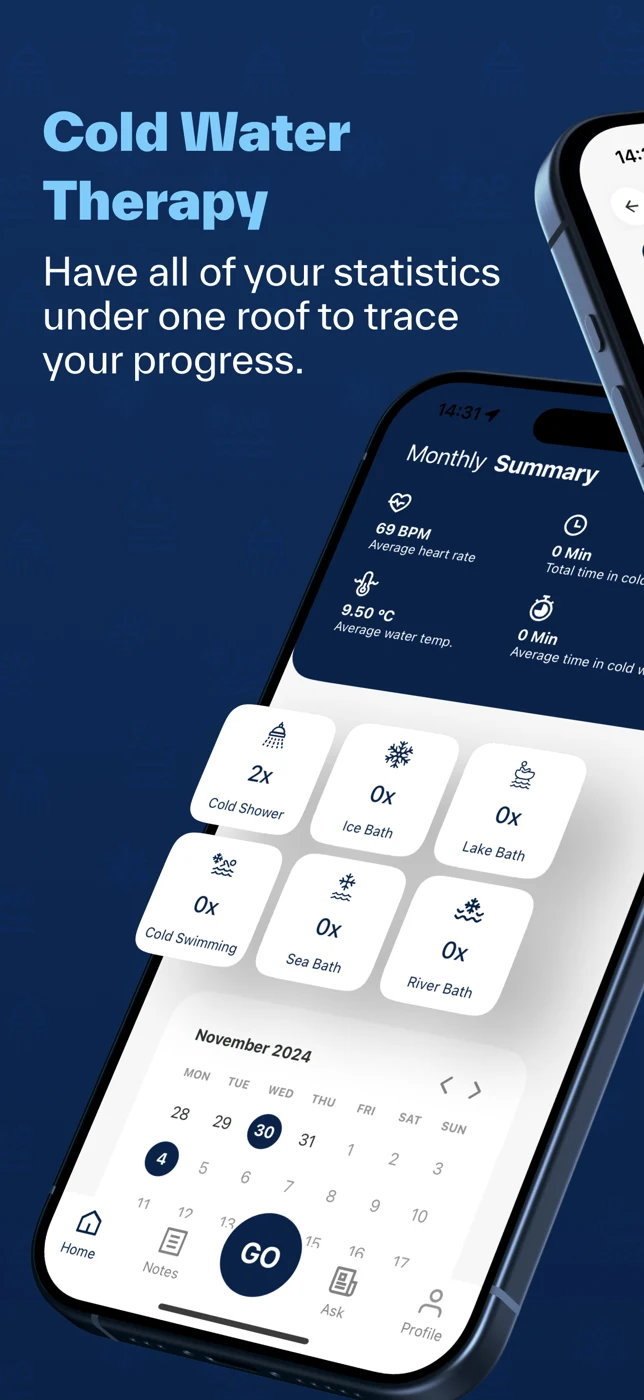
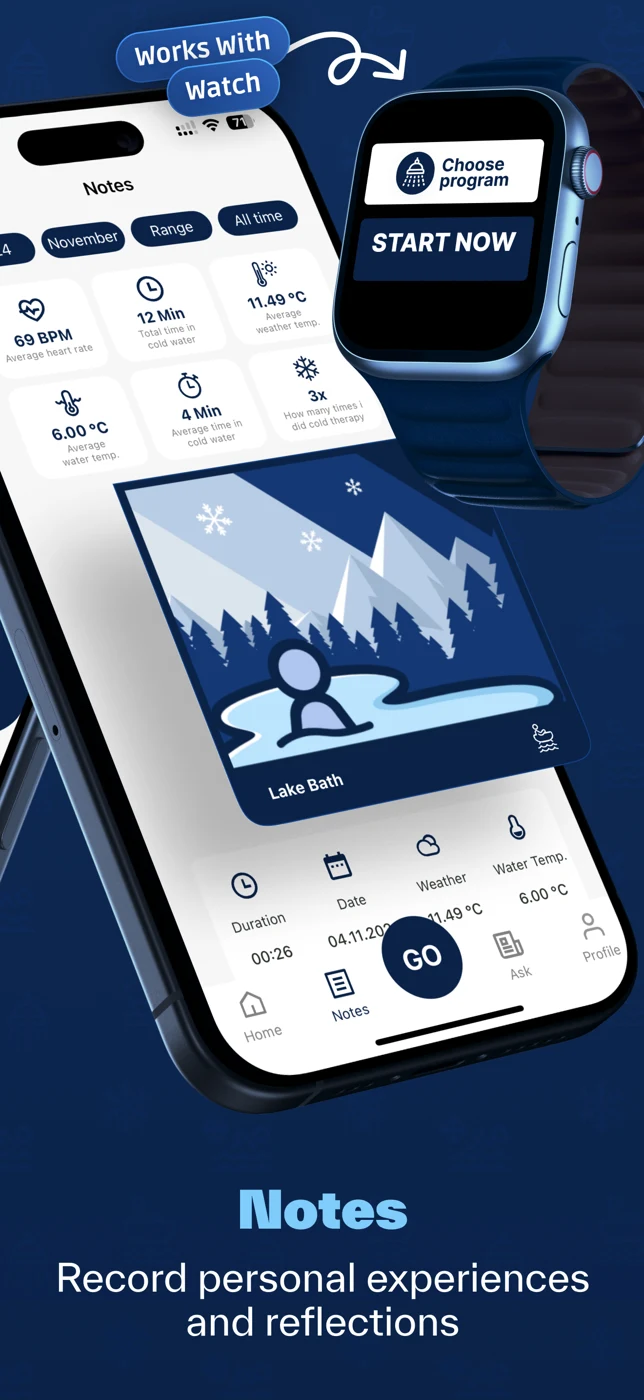
Save sessions and add notes to remember how each one felt. Revisit entries in your calendar.
Review your history and see how much time you’ve spent in cold water.
MORE THAN A TIMER
The time, the water, the weather and the way you felt. Keep the details that make each session yours.
COMMUNITY FEED
Share completed sessions and photos with the Cold Water Therapy community. Explore other people’s sessions, filter the Feed by country and give a snowflake to a post you enjoy.
NOTES & PHOTOS
Save the feeling after a session with a note and a photo. Browse past entries, edit session details and add a session manually when you need to.
Your history, in one place.
WEATHER
Keep the outdoor temperature alongside your session. Automatic weather uses location when enabled, helping you remember the conditions on the day.
Location settings are under your control.
WATER TEMPERATURE
Enter the water temperature for your session and review it later with your history. Choose Celsius or Fahrenheit to suit your routine.
Water temperature is entered by you.
Choose a programme for your cold shower, ice bath or open-water session. Set a countdown or track elapsed time, then save the completed session to your history.
A familiar setup for your next plunge.
HISTORY & STATISTICS
Browse the calendar, revisit individual sessions and review summaries of time spent in cold water, session counts and temperatures.
Explore your progress over time.
WATCH COMPANIONS
Use the Apple Watch or Wear OS companion to track session time and heart rate. Bring saved watch sessions into your phone history.
Check the store for device requirements.
SESSION LOCATION
Keep a location with your session so you can remember where you went. Manage location access for each programme in the app settings.
Your places, alongside your sessions.
IPHONE & ANDROID
iPHONE
Use the GO tab to start a session. Share sessions and photos in the community Feed, or track sessions and heart rate with the Apple Watch app.
View on App Store ↗
ANDROID
Keep your session journal, explore the community Feed and track from your phone. With Wear OS, record session time and heart rate, then send saved sessions to the phone app.
View on Google Play ↗
ON YOUR WRIST
Start and track a session with the Apple Watch or Wear OS companion. See your timer and heart rate on your wrist, then bring saved sessions into your phone history.


THE COLD WATER JOURNAL
FAQ
You enter the water temperature yourself. The app saves it with your session so you can revisit the conditions later.
Automatic weather uses your location when enabled. You can manage location access in the app settings. Weather temperature and water temperature are recorded as separate details.
Yes. Share completed sessions and photos, choose which supported details to include, browse the community and react to posts with a snowflake.
Use the manual session option to add an entry to your history. You can also edit session details and keep personal notes.
Cold Water Therapy is an iPhone and Android app for timing cold plunges, cold showers and other cold-water sessions, keeping notes and reviewing your session history.
Cold Water Therapy offers an Apple Watch app for iPhone users and a Wear OS app for Android users. The watch apps support session timing and heart rate tracking. Check your store listing for current device and software requirements.
Download Cold Water Therapy from the App Store for iPhone or from Google Play for Android.